- Published on
How to pin messages in ChatGPT conversations
- Authors

- Name
- Rahul
Message pinning allows you to save specific ChatGPT responses for quick reference later. Whether it's a code snippet, an explanation, or a creative idea, pinned messages stay accessible even as your conversation grows longer.
How to Pin a Message in 3 Easy Steps
Step 1: Find the Message You Want to Save
As you chat with ChatGPT, identify assistant responses that contain valuable information you'll want to reference later.
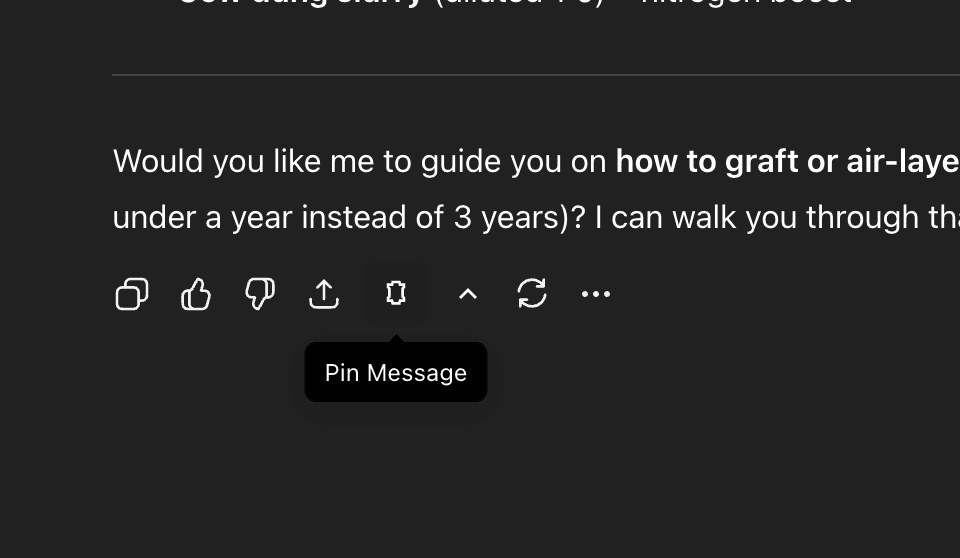
Step 2: Click the Pin Icon
Hover over the message toolbar (where the share button is located). You'll see a pin icon appear next to the share button. Click it once.
Step 3: Access Your Pinned Messages
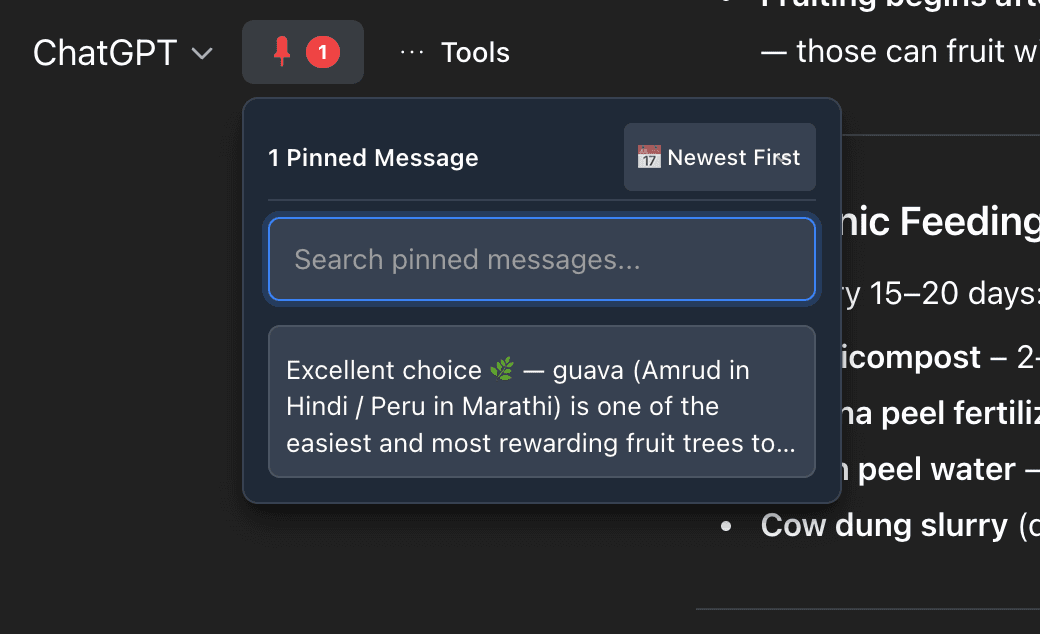
Click the red badge with a number in the ChatGPT header (top of the page). This shows how many messages you've pinned in the current conversation.
Viewing Your Pinned Messages
Method 1: Conversation Dropdown
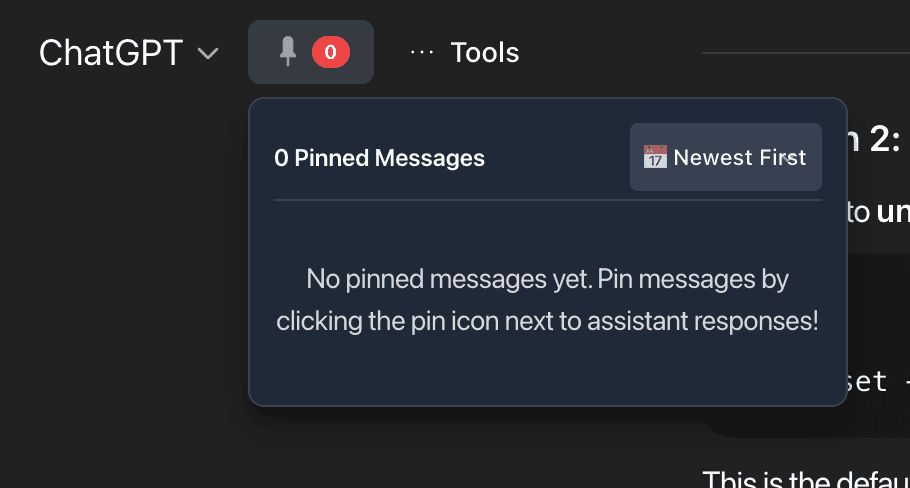
Click the pin badge in the header to open a dropdown showing all pinned messages from your current conversation.
Features:
- Search to filter pinned messages
- Sort by newest or oldest first
- Click any message to jump directly to it in your conversation
- The selected message highlights in green for 2 seconds
Method 2: Spotlight Search (Global Search)
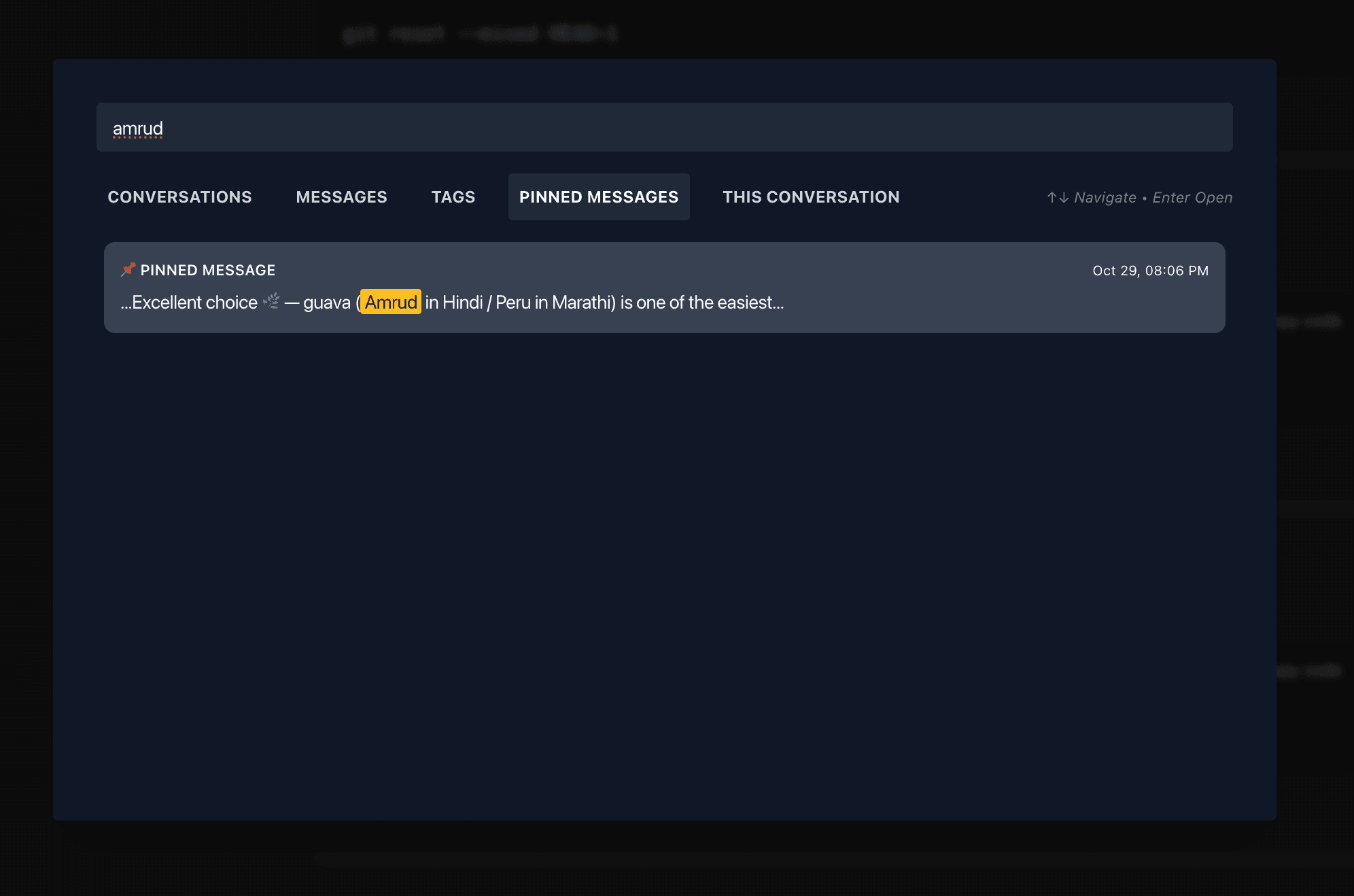
Press Shift+Space or click "Spotlight Search" in the MissionControl Tools menu to search across all conversations.
Why use Spotlight Search?
- Find pinned messages from any conversation
- Search by keywords within pinned content
- Navigate with keyboard (arrow keys + Enter)
- Jump directly to the conversation containing your pinned message
Privacy & Storage
All pinned messages are stored locally in your browser using IndexedDB. Your data never leaves your device, ensuring complete privacy and security.
Get Started with MissionControl
MissionControl for ChatGPT is a Chrome extension that supercharges your ChatGPT experience with message pinning, message timestamps, question navigation, and spotlight search.
Install MissionControl and never lose an important ChatGPT response again.